INTRO
Every time I travel to China, I have a lot of difficulty communicating with my older relatives, even though we want to communicate with each other. After speaking with multiple relatives and family friends, I realized this is a nationwide frustration.
Out of earshot, out of mind
Hearing and communication is a major global problem that remains inadequately addressed. Approximately 29.2% of individuals with hearing loss in the United States use hearing aids. This issue is even more prevalent across the globe: according to a study, 64.9% of elderly respondents in China faced hearing loss, yet only 0.8% of respondents reported using hearing aids.
“Hearing loss in older people leads to impaired language communication. This results in social dysfunction, limited social activities, and psychophysiological problems such as cognitive impairment[4] and dementia.”
THE PROBLEM
How can we help elderly family members communicate with friends and family in the immediacy of daily life, with a method that is both easy to use and unobtrusive?
THE SOLUTION
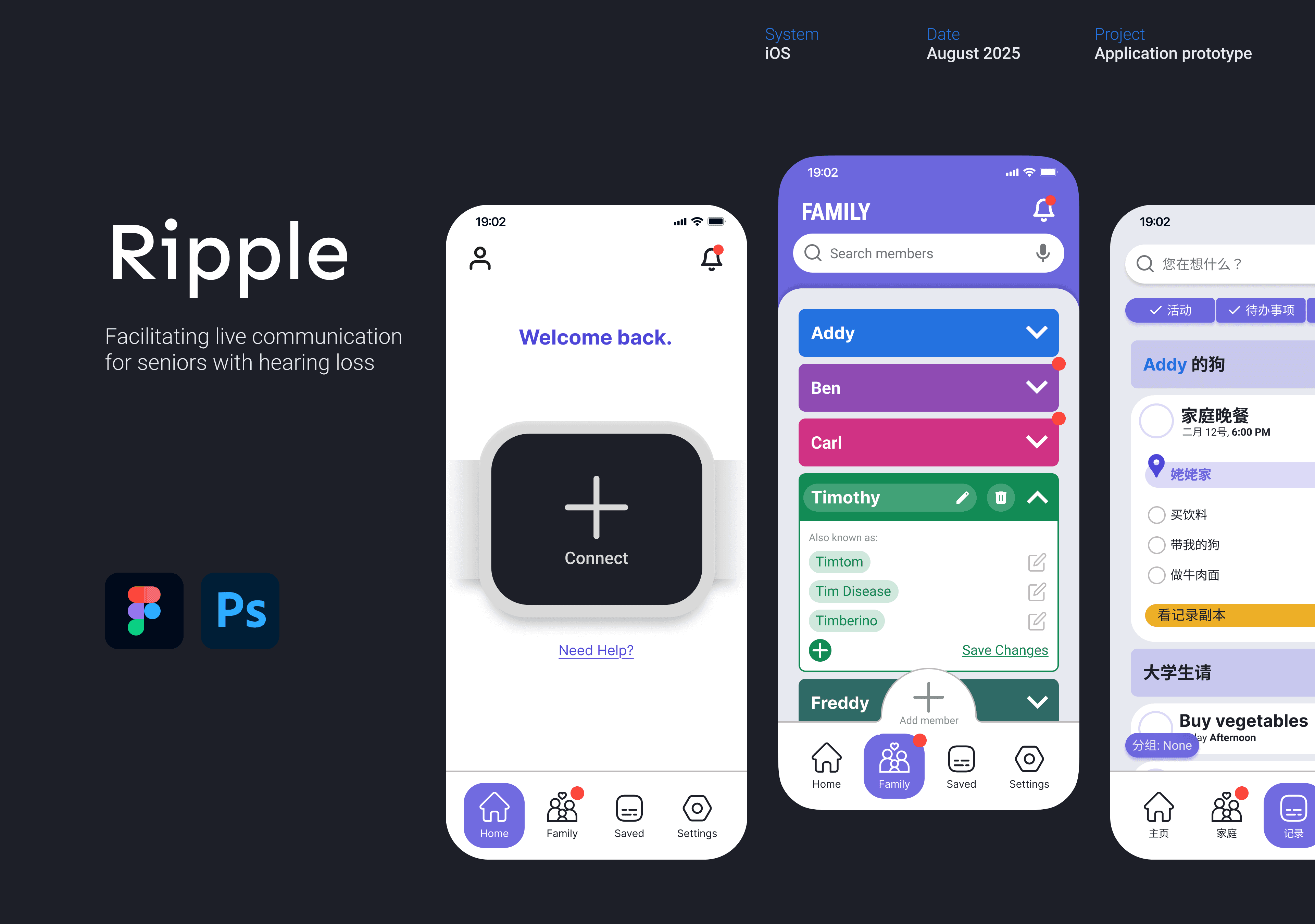
Meet Ripple, an app that turns your smartwatch into your personal assistant, allowing you to be a part of any conversation.
Onboarding
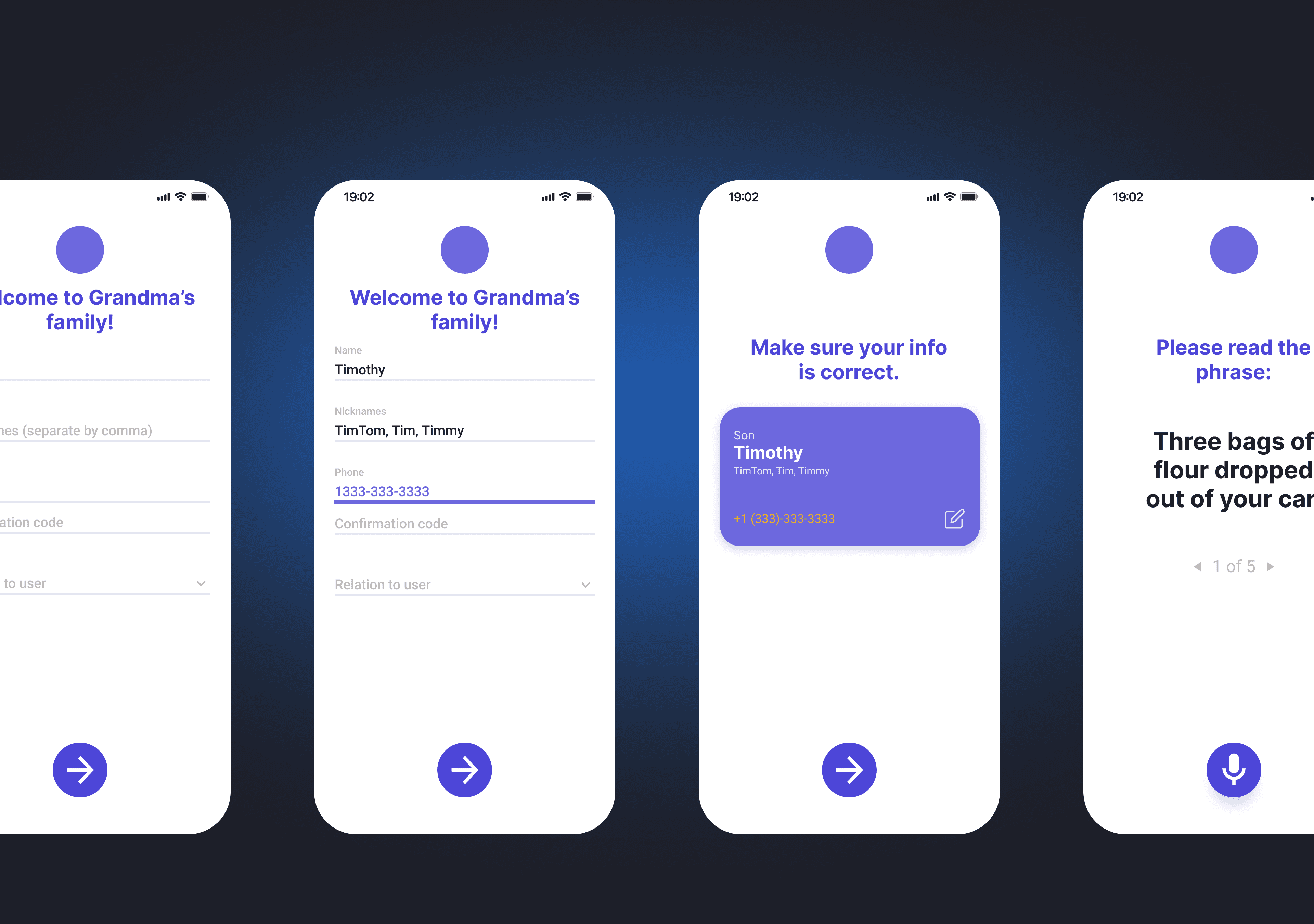
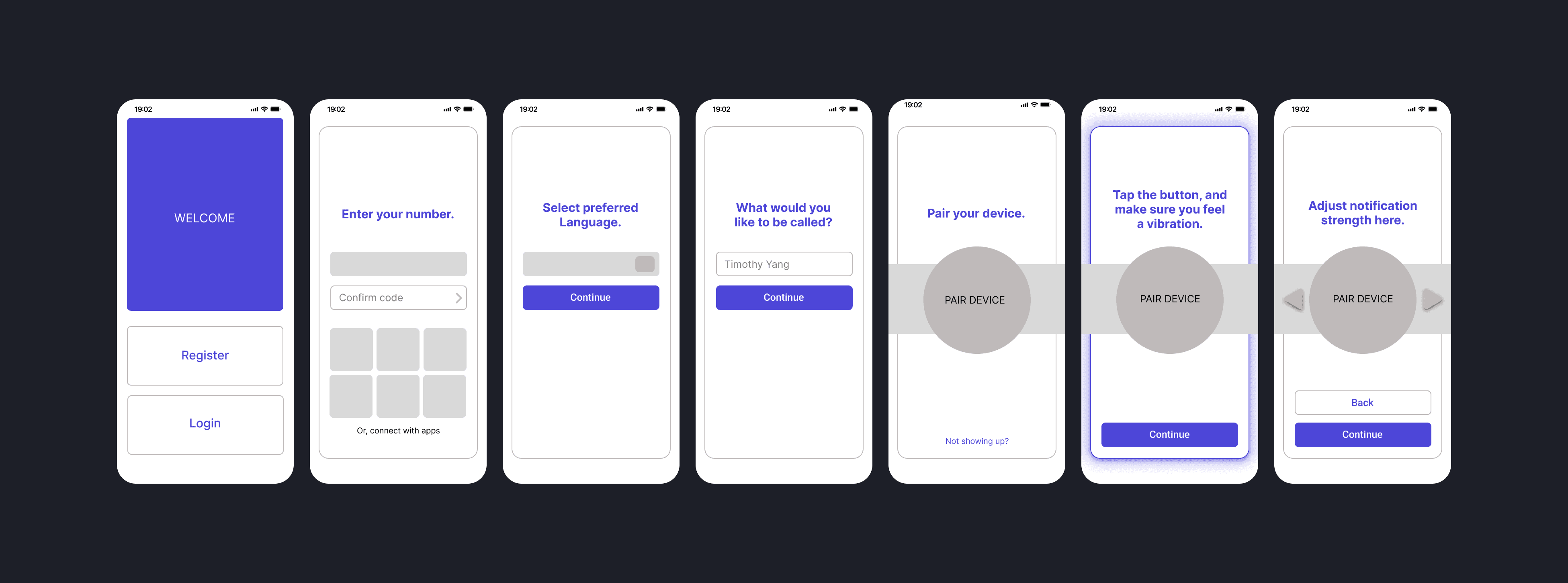
Because the app is designed to be as out-of-the-box as possible, onboarding is the most important part of the process. The user should not need to open the app again after setup is completed.
Family members use the QR code to complete the setup process.

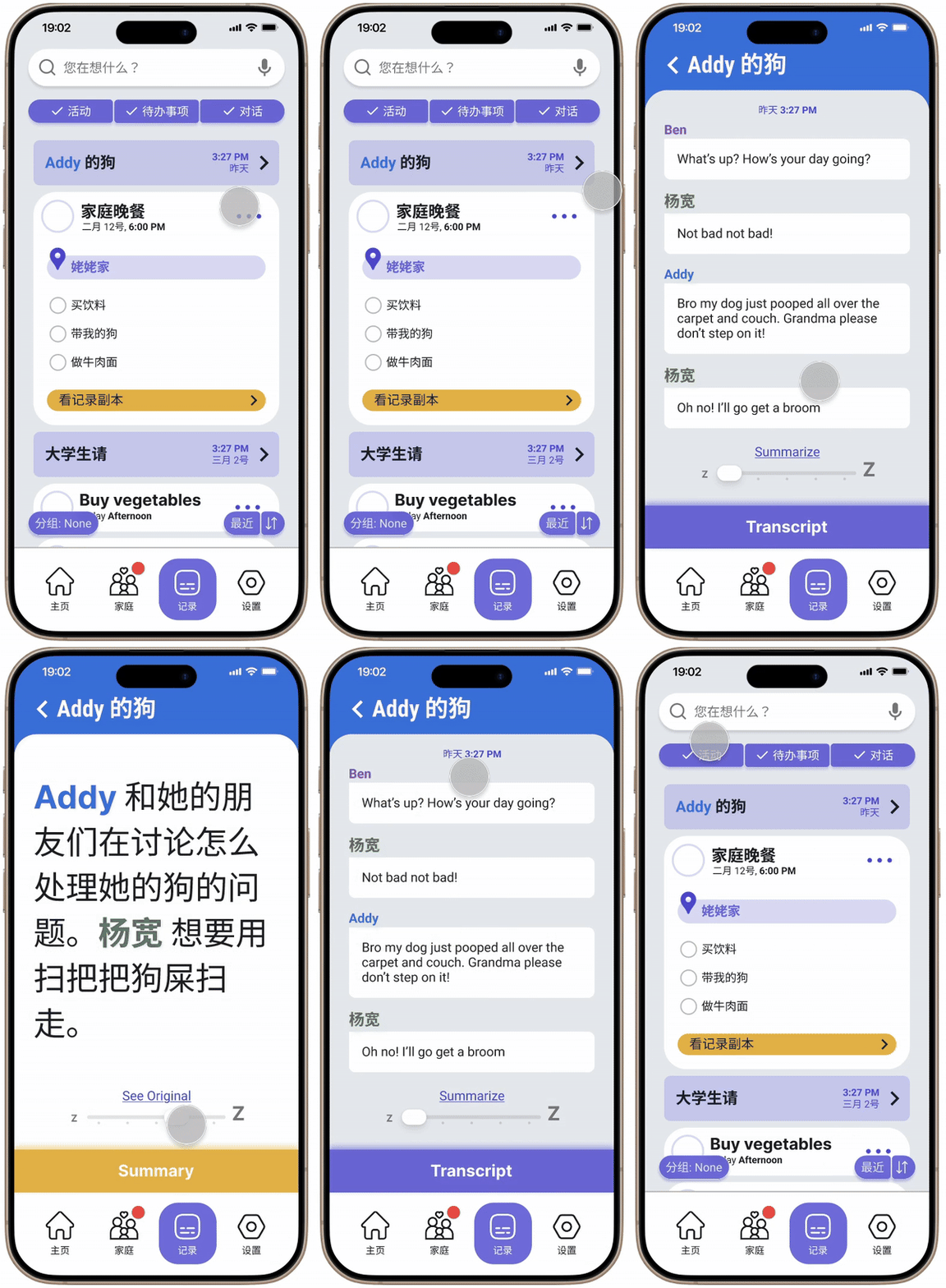
Saved Conversations
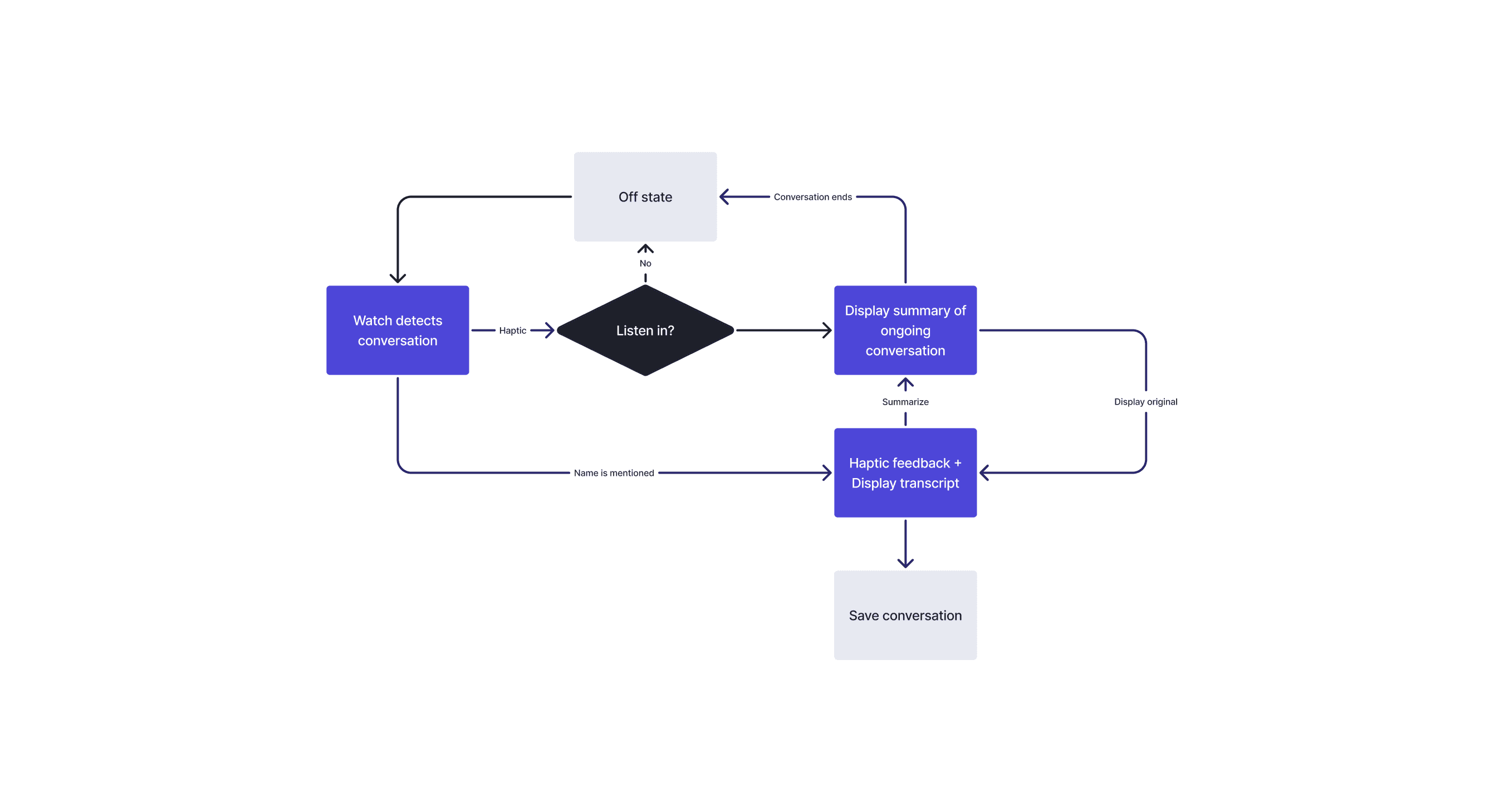
Ripple automatically summarizes conversations into the most convenient form for the user. The original transcript is also provided in case of misunderstanding.
The Smartwatch
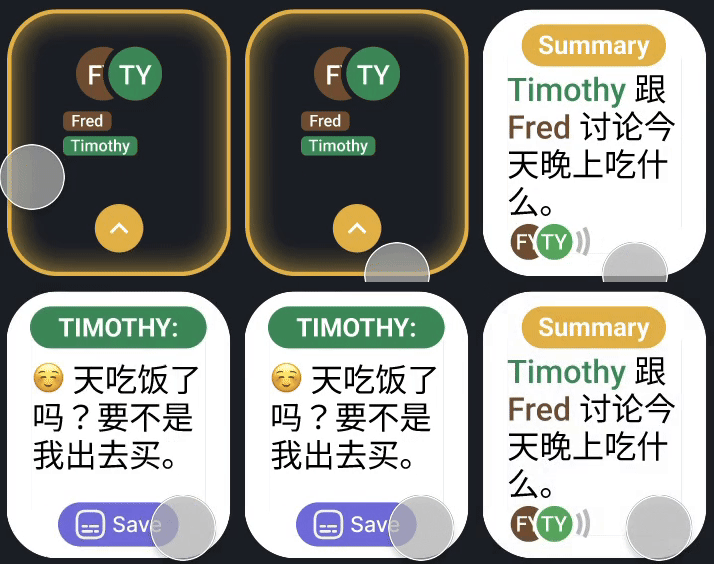
Upon detecting a conversation or mention, Ripple notifies the wearer. Designed to assist in-person conversation, not replace it.
Family Onboarding
Setting up the app is a collaborative effort requiring family input, lessening the load on the elderly user.
RESEARCH
Why aren't hearing aids used in China?
Chinese culture sees hearing loss as a byproduct of aging, minimizing its importance as a problem. In addition, due to collectivism’s prevalence over independence in China, elderly residents expect family members to adjust to their hearing loss.
Reasons behind limited use of aids include high cost, traditional views, underdeveloped healthcare services, lack of education, and rurality – further exemplified by the uneven distribution of hearing loss across socioeconomic statuses.
Case study: my summer in China
During my time spent in China, my grandmother repeatedly refused to use the hearing aids my dad bought her, even though she expressed her desire to talk with us. She stated that
Over the two-and-a-half weeks I spent with my grandparents, some of the key pain points I observed were:
Earbuds could not adjust properly to fit in ear
Earbuds had fallen out, and due to her nearsightedness could not find on the floor
Forgot or misplaced after taking them out
Earbuds were generally uncomfortable and heavy-feeling
Device was not properly calibrated, amplifying surrounding noise
She also stated that it was more convenient for us to simply repeat ourselves.
REFRAMING
Hearing aids are already a well-researched, well-developed field.
The issue lies not in making a better hearing solution, or even necessarily a better form of communication, but in meeting the specific communication needs for elderly residents in China.
This allows me to make compromises such as unfamiliar voices or using color coordination, which works for a limited set of names.
Understanding the audience
Hearing aids are already a well-researched, well-developed subject. The issue lies not in making a better hearing solution for those, or even necessarily a better form of communication, but in meeting communication needs for seniors at home while avoiding common pain points.
A lot of seniors in China don't feel the need to hear better — they just want to be able to communicate enough to get through the day, which most of the time happens to be minimal.
Key Insights
Hearing aids are uncomfortable, easy to lose, and require a degree of dexterity and technological savviness that a lot of seniors do not have.
Elderly family members prefer to stick to a set routine, valuing consistency over possible benefits.
Tradition and education play a large role in the lack of adoption of hearing aids: hearing loss is seen as a byproduct of aging, and family members are expected to adjust.
Ripple is meant to be an in-between: not a replacement for hearing aids, but a cheaper, more convenient alternative for the home and familiar settings
THE CONCEPT
With this in mind, I settled on three main factors to address when considering a solution.
Setting a Direction
Comfort - device doesn’t feel restrictive or a hassle to put on, making it more easily integrated into daily life
Ease-of-use - Minimal setup, AI integration, and minimalist design frees the user from worrying about functionality.
Synergy - app works with pre-existing devices, software, and other technology, synergizing with existing features and eliminating the need to buy a new device.
Key Principles
One tap away - Every page is a single tap from each other, or easily backtracked.
No small buttons – the “part” always represents a greater “whole”, and interactable space extends beyond the icon.
Allow for mistakes – every action can either be undone or reconfirmed
At a glance - High contrast colors and fonts + association between elements ensures accessibility. Avoid information overload and cut all unnecessary functionality.
Principles at Work
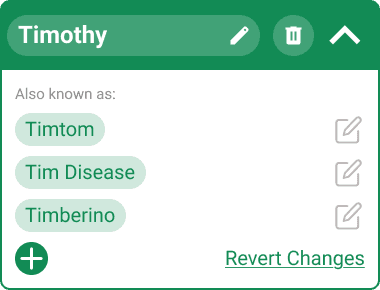
Family members are saved as cards in the Family tab, and are editable after creation. The UI on the elderly's side is minimalistic and only editable upon expanding, alleviating the issue of misclicks. The whole card can be tapped to expand, with the arrow serving as an indicator. Editable features are self-explanatory and have a revert feature.

Use of Icons
A lot of icons can be confusing to elderly users, especially those unfamiliar with technology. I tend to include both in most situations. One area where I had to choose between icons and text was the watchface, where space is limited.

Button takes up large amount of space, feeling too cluttered
Attention should be drawn to who is talking
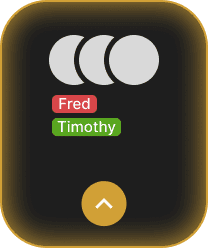
Arrows are a common symbol in daily life, and even within the app
Single feature removes need for subtitles

Lack of button can confuse user about interactivity
The Watchface
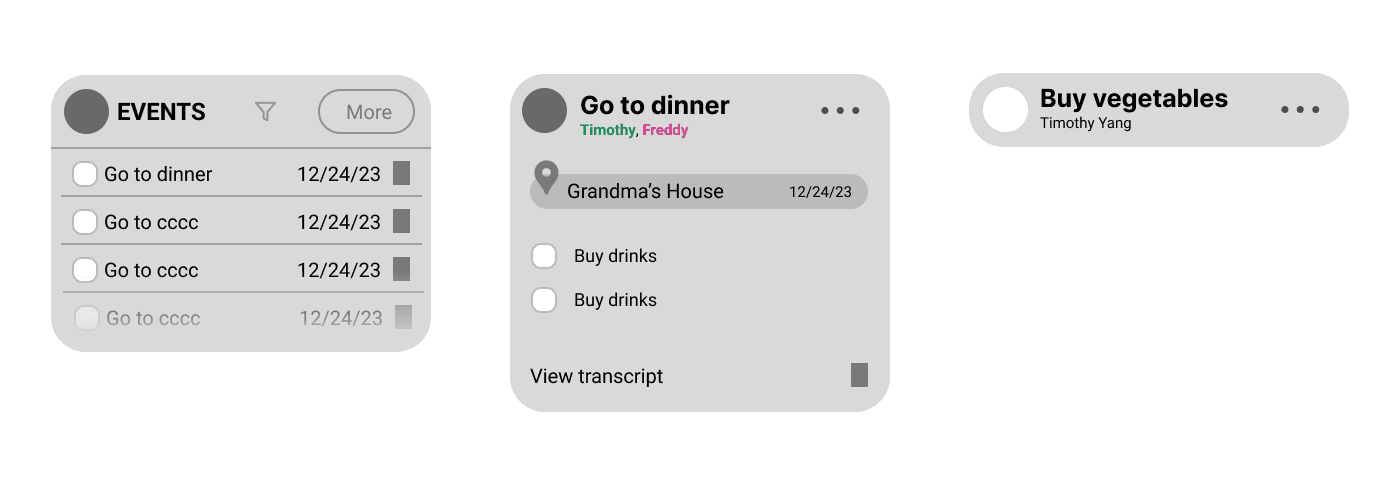
In accordance with my principle of "at a glance", I implemented tap to alternate between conversation and summary instead of using buttons in order to increase the amount of space for conversation, and to reduce the need for scrolling.
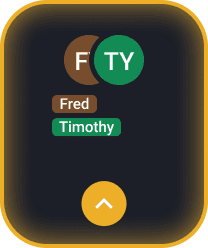
The initial screen
Icons are paired with names to avoid confusion

Emoticon shows tone of voice
Save button features an unfamiliar icon, requiring captioning
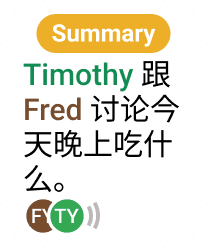
AI summary keeps the content within one page.
Bottom icons show who is currently speaking
PROCESS
Flowchart
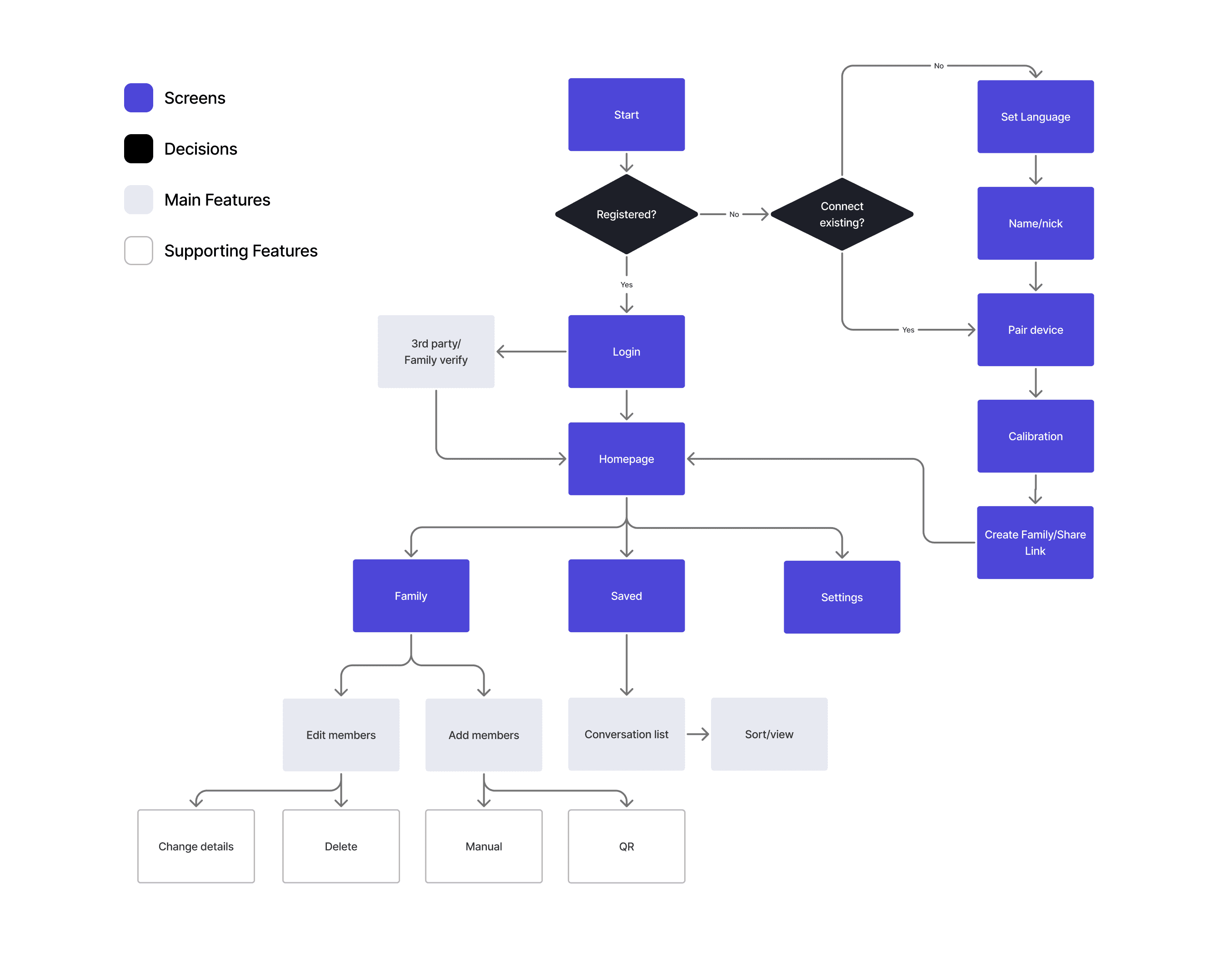
I mapped out the main features through the use of a flowchart to find out what pages and secondary features I need.
Initial Wireframing
Design System
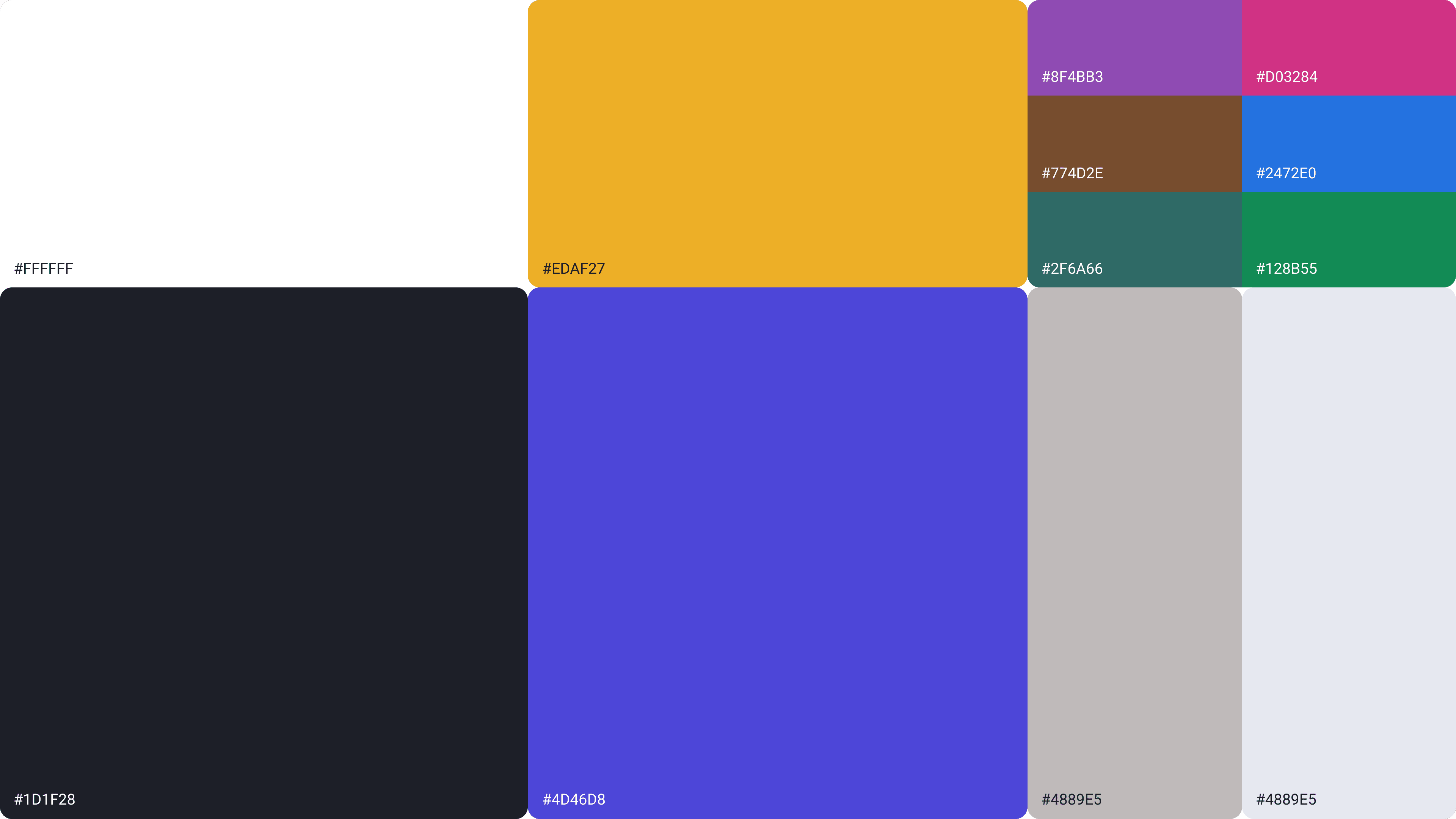
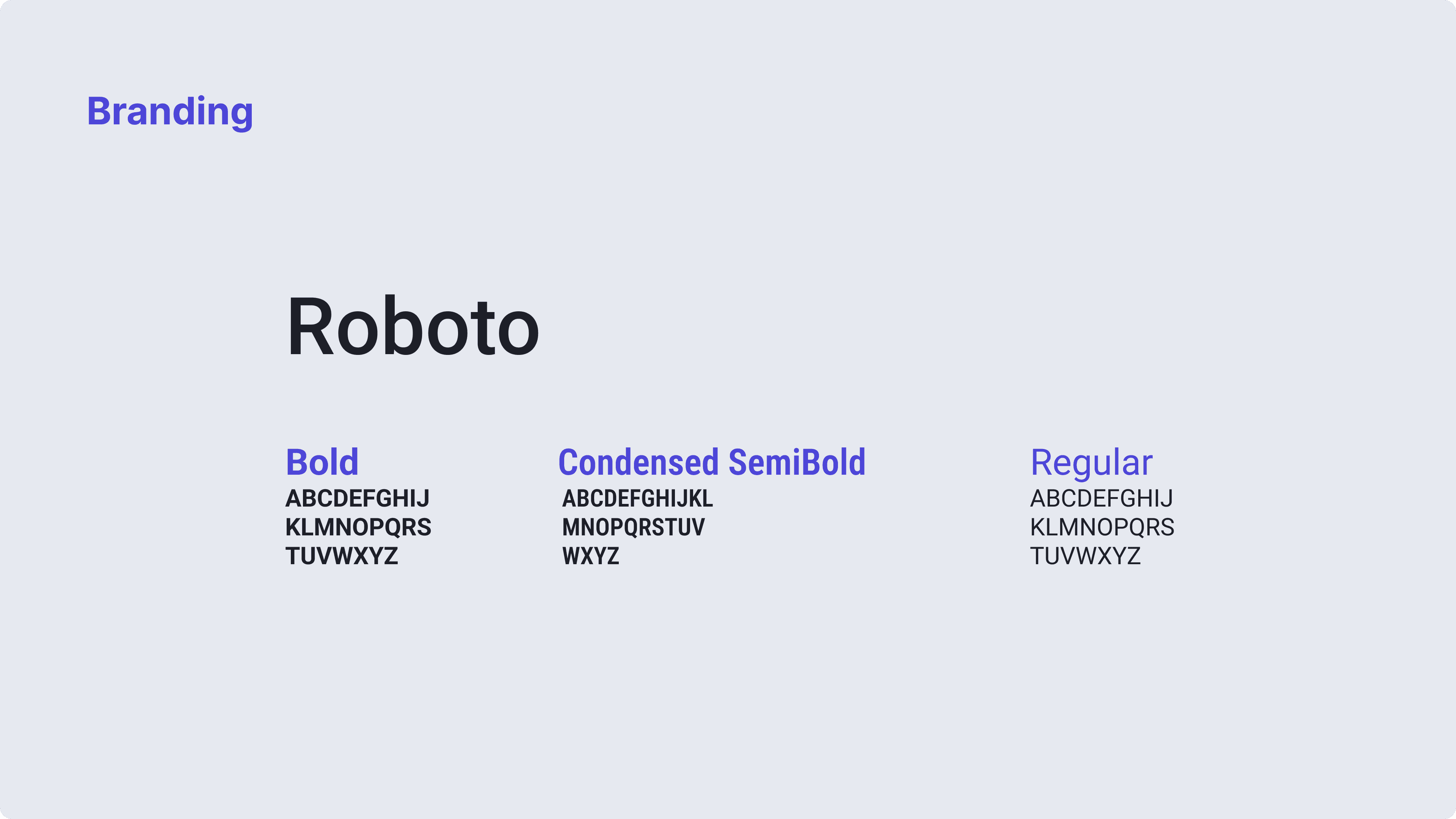
Apps for the elderly can be boring. Ripple uses a lively color palette without bordering on garish, meeting WCAG AA standards on color pairings.
Try it yourself!
REFLECTION
I was completely unfamiliar with Figma and UI/UX design when I started this project in my sophomore summer. I initially planned on designing a physical solution, but as I narrowed down my ideas, I realized that an app checked off more of my criteria and was easier to adopt if made a reality. However, because I learned as I went, the project wasn't built with structure in mind. And as with all things without structure, Ripple quickly collapsed into a messy pile of shoehorned features and hand-placed boxes. Thankfully, by the time the project ended, I had managed to hone both my UX and Figma skills enough to pull the project together.
In the future, I would like to flesh out adding and removing members, as well as figure out edge cases such as accidental or too many adds, voice recognition issues, or mistakenly deleting family members. I'd also like to test my prototype with my grandparents next time I visit, and hopefully turn it into a working app.
<- KOINOS
@Timothy Yang
ttimothyy24@gmail.com
YOU INTERESTED?